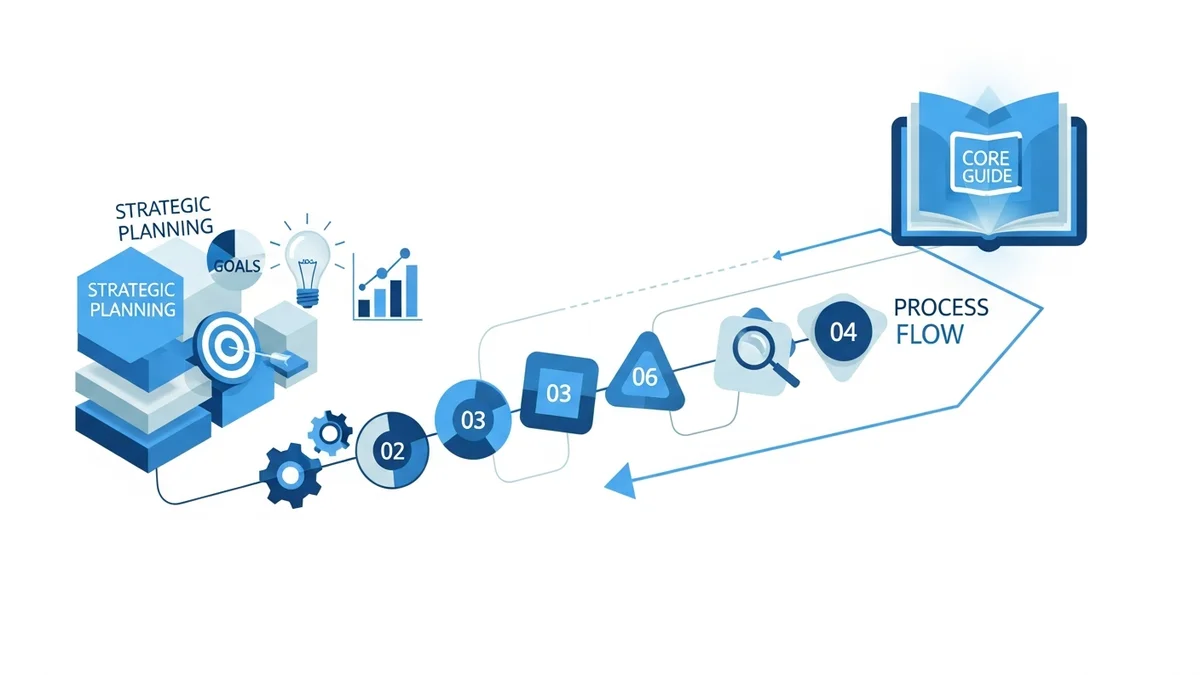
What Is Colossyan and Why It Matters in 2026
Colossyan (formerly Colossyan Creator) is an AI-powered video generation platform built specifically for corporate training, employee onboarding, and educational content. Rather than requiring cameras, studios, or video editing expertise, Colossyan lets you turn a script, PowerPoint, or PDF into a polished talking-head video in minutes — complete with a digital AI avatar presenting the content.
The platform sits in a specific and growing niche: avatar-based training video production. According to a 2026 study by Forrester Research, organizations using AI-powered video documentation platforms reduce content production time by up to 90%, achieve 23% faster employee onboarding, and see 31% higher knowledge retention rates compared to traditional video creation methods. Colossyan is designed precisely to capture those gains at scale.
In a market crowded with creative video tools like Runway Gen 4.5 and Sora 2 that focus on generative cinematic content, Colossyan takes a different lane — structured, avatar-led, enterprise-ready video for internal communications and L&D teams.
Core Colossyan Features Explained
AI Avatar Library (170+ Avatars)
Colossyan's primary differentiator is its avatar library, which includes 170+ AI avatars representing diverse demographics, age groups, professional settings, and ethnicities. This matters for organizations creating training content for global or multicultural workforces — you can match the presenter to the audience without casting or filming real people.
Beyond the built-in library, Colossyan allows you to create custom avatars from a photo or a short video recording. This is particularly valuable for companies that want branded video presenters — for example, using your L&D director's likeness as the avatar for all onboarding content, without requiring them to be on camera for every update.
Text-to-Video with Script Import
The core workflow is text-driven: you write a script or paste one in, the avatar lip-syncs to it with natural voice output. Colossyan also supports direct import of PowerPoint presentations and PDFs, automatically converting slide content into multi-scene video sequences. This is a major time-saver for teams that already have training material in slide format — instead of re-recording every time a slide changes, you update the script and regenerate.
Multilingual Voice and Dubbing
Colossyan supports video generation and dubbing across multiple languages, making it a practical choice for global enterprises. You can create a master video in English, then generate localized versions in other languages without re-recording or hiring voice actors. The avatar's lip movements are resynchronized to match each language's speech patterns.
Real-Time Conversational Avatars (Early Access)
As of early 2026, Colossyan is rolling out real-time conversational avatars — interactive digital presenters that can respond dynamically during live sessions or simulated training scenarios. This moves Colossyan beyond passive video playback into interactive learning experiences, a significant leap for compliance training and sales enablement use cases where learners benefit from dialogue-style instruction.
API and Template-Based Video Personalization
For teams needing to produce video at scale, Colossyan offers an API that enables programmatic video generation from templates. A common use case: onboarding videos personalized with an employee's name, department, and start date — generated automatically from an HR data feed. This reduces the manual effort of personalizing content while maintaining professional quality.
Browser-Based Editor
Colossyan runs entirely in the browser with no software installation required. The editor is built around a scene-based timeline where you manage avatar selection, script input, background, and media assets per scene. The interface is designed for non-technical users — L&D managers, HR teams, and content designers can produce polished videos without touching video editing software.
Colossyan Pricing: What You Actually Pay
| Plan | Price (Monthly) | Video Minutes | Key Limitations |
|---|---|---|---|
| Starter | $19–$27/month | Limited (approx. 10–15 min/month) | Watermark on some exports, limited avatars |
| Pro / Business | $70–$120/month | Higher minute cap (60–120 min/month) | Custom avatar creation, no watermark |
| Enterprise | Typically $500+/month | Unlimited or large custom cap | SSO, API access, dedicated support, SLA |
The key thing to understand about Colossyan's pricing is that the entry-level plans are intentionally limited by video minutes. A 10-minute monthly cap sounds modest, but it adds up quickly when you consider that a single onboarding module might run 5–7 minutes. Teams scaling beyond a few videos per month will find themselves pushed toward the $70–$120/month tiers or higher.
Newsletter
Get the latest SaaS reviews in your inbox
By subscribing, you agree to receive email updates. Unsubscribe any time. Privacy policy.
API access and custom avatar creation are locked behind higher plans, which is a critical consideration if automation or branded presenters are part of your workflow. Budget for at least the Pro tier if those features are on your requirements list.
How Colossyan Compares to Key Competitors
| Platform | Primary Use Case | Starting Price | Avatar Library | API Available |
|---|---|---|---|---|
| Colossyan | Corporate training, L&D | $19–$27/month | 170+ avatars | Yes (higher plans) |
| Synthesia | Enterprise training, marketing | $29/month | 160+ avatars | Yes |
| HeyGen | Marketing, personalized video | $29/month | 100+ avatars | Yes |
| D-ID | Talking photo, lightweight avatar | $5.90/month | Basic library | Yes |
Against Synthesia, Colossyan is competitive on avatar count but trails on brand recognition and enterprise integrations. Synthesia has a larger ecosystem of third-party LMS integrations out of the box. Against HeyGen, Colossyan is more L&D-focused while HeyGen skews toward marketing and sales personalization. If you're purely evaluating for training use cases, Colossyan's feature set is purpose-built in a way HeyGen's isn't.
D-ID is a cheaper entry point for basic talking-head videos but lacks the depth of avatar diversity, multilingual dubbing, and template-based production that Colossyan offers at scale.
Who Should Use Colossyan (And Who Shouldn't)
Best Fit Use Cases
- Corporate L&D teams producing recurring training content (compliance updates, policy changes, product knowledge) who need to update videos without re-filming
- HR departments running structured onboarding programs where consistent messaging across locations is critical
- Global enterprises needing multi-language versions of the same training content without per-language production costs
- EdTech companies building course libraries where instructors don't want to be on camera for every lesson update
- Sales enablement teams creating standardized product explainers or competitive battlecard videos at scale
Not the Right Tool For
- Teams needing cinematic, generative B-roll or creative video production — tools like Runway Gen 4.5 or Google Veo 3.1 serve that need
- Marketers who want dynamic, motion-driven social content — Colossyan's output is presenter-focused, not visually experimental
- Small teams producing fewer than 2–3 videos per month, where the subscription cost outweighs the time savings
- Workflow documentation that requires capturing live software interfaces — screen-recording-based tools are a better fit for that use case
Common Mistakes When Using Colossyan
Mistake 1: Starting on the Starter Plan for Production Use
The $19–$27/month Starter plan looks attractive but the minute cap — approximately 10–15 minutes of generated video per month — is exhausted by a single mid-length training module. Teams regularly underestimate their volume, generate overages, or find themselves unable to complete a content sprint. Start your evaluation with the Pro tier if you're piloting for a team of more than 3–5 people.
Mistake 2: Ignoring Custom Avatar Setup Time
Custom avatar creation requires submitting a high-quality video recording under specific lighting and framing conditions. Many teams rush this step with low-quality footage and end up with an uncanny, unnatural-looking presenter. Colossyan provides technical guidelines for the recording — read them before shooting. A poorly built custom avatar takes time to redo and undermines confidence in the tool internally.
Mistake 3: Treating Every Script Like a Lecture
Colossyan videos with a single talking-head avatar and no supporting visuals, text overlays, or scene transitions perform poorly in learner engagement tests. The platform supports adding images, text callouts, and background swaps per scene — use them. A 7-minute training video with visual variety significantly outperforms the same video as a static avatar talking continuously, particularly for retention of complex procedural information.
Mistake 4: Not Leveraging the API for Scale
Many teams on Enterprise or high-tier plans manually produce each video one by one when they have access to Colossyan's API. If you're generating 20+ videos per quarter — particularly personalized onboarding or regional variants — the API with a template-driven workflow can reduce production time from hours to minutes per video. The upfront setup investment pays back quickly at that volume.
Mistake 5: Using Colossyan for the Wrong Content Type
A recurring pattern: teams buy Colossyan for a broad "video content strategy" that includes social media clips, creative marketing ads, and product demos — then find the avatar-centric output doesn't fit those formats. Colossyan is excellent at structured training and talking-head presentations. For creative or generative video content, complement it with a tool purpose-built for that output type rather than trying to stretch Colossyan's use case beyond its strengths.
Getting Maximum Value from Colossyan
Build a Template Library First
Before producing individual videos, invest time in building 3–5 reusable scene templates — intro/outro sequences, branded backgrounds, consistent font and color usage. This ensures all content looks cohesive and dramatically reduces per-video production time. Teams that skip this step spend 30–40% of their video creation time on formatting decisions that could be standardized.
Match Avatars to Audience Demographics
Colossyan's 170+ avatar library is a genuine competitive advantage if used intentionally. Learner trust and engagement increases measurably when the presenter demographic aligns with the audience. For a global rollout, select regionally appropriate presenters for each language variant rather than using the same avatar across all markets.
Integrate with Your LMS Early
Colossyan videos are most effective when delivered inside your Learning Management System with completion tracking, not as standalone links. Map your LMS integration requirements before purchase — SCORM export, direct embedding, or API-based delivery — so you're not solving that problem after producing your first batch of content.
Use Multilingual Features Strategically
Don't wait until you have a specific multilingual need to test this feature. Run a pilot with one module in two languages early in your deployment. The avatar lip-sync quality and voice naturalness can differ between languages — identifying which languages work best for your content before committing to a full library rebuild saves significant rework.
Colossyan in the 2026 AI Video Landscape
The AI video generation market has bifurcated clearly in 2026: generative creative tools on one side, and structured enterprise presentation tools on the other. Colossyan sits firmly in the latter category, competing primarily against Synthesia and HeyGen for L&D and training budgets, while generative tools like Sora 2 and Google Veo 3.1 serve entirely different production workflows.
Colossyan's 2026 roadmap — particularly the real-time conversational avatars now in early access — signals a move toward interactive learning experiences that go beyond one-way video delivery. If that feature matures, it positions Colossyan well against simulation-based training tools and opens the door to use cases in customer service training and live agent coaching.
For organizations evaluating AI video platforms for training and internal communications, Colossyan delivers a mature, scalable solution with a well-defined feature set. The pricing is accessible at the entry level and scales predictably. The key decision factor comes down to volume: if your team produces 10+ training videos per quarter, the efficiency gains from Colossyan's workflow justify the subscription cost at the Pro tier or above.





